Pulse
About
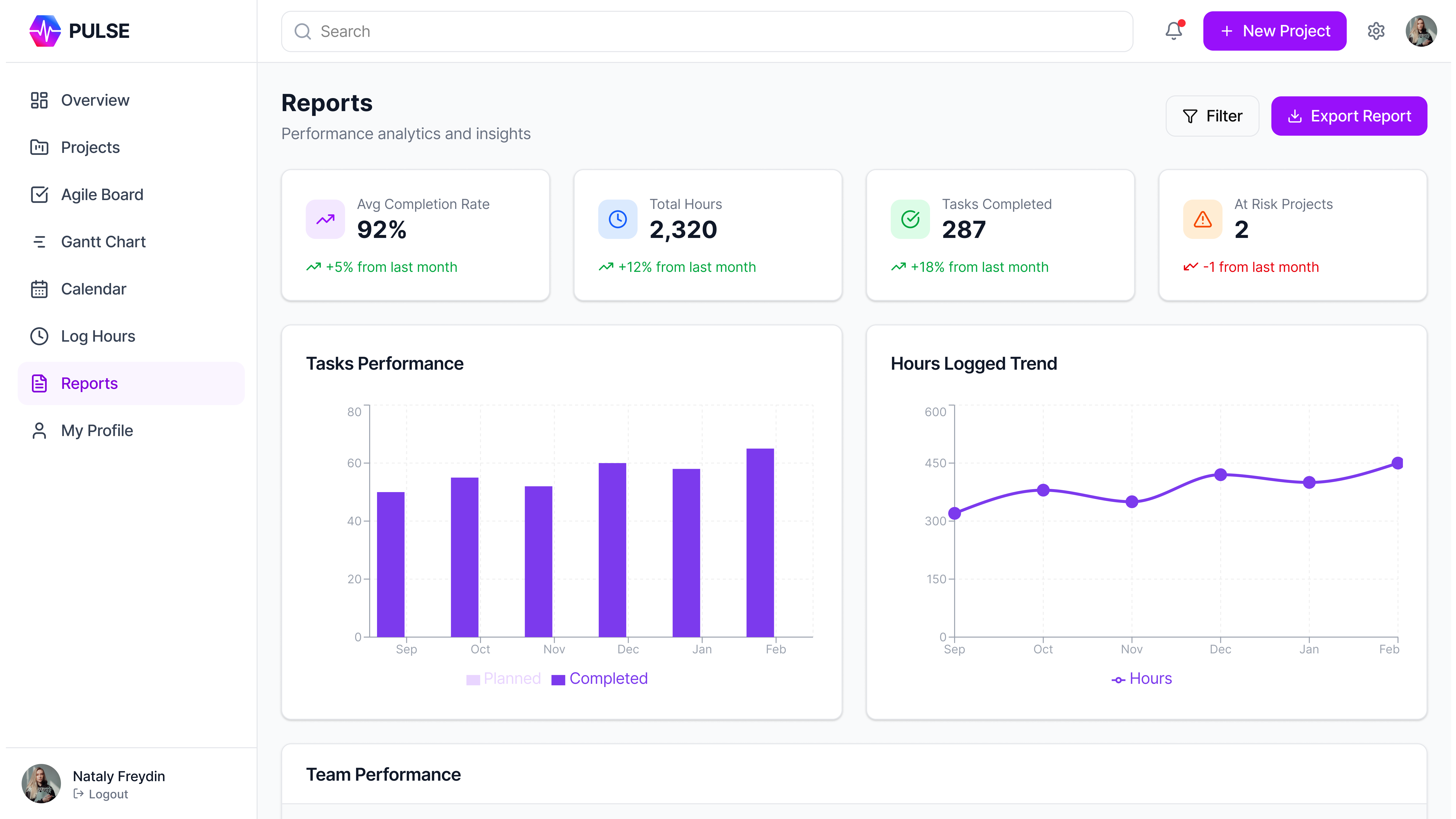
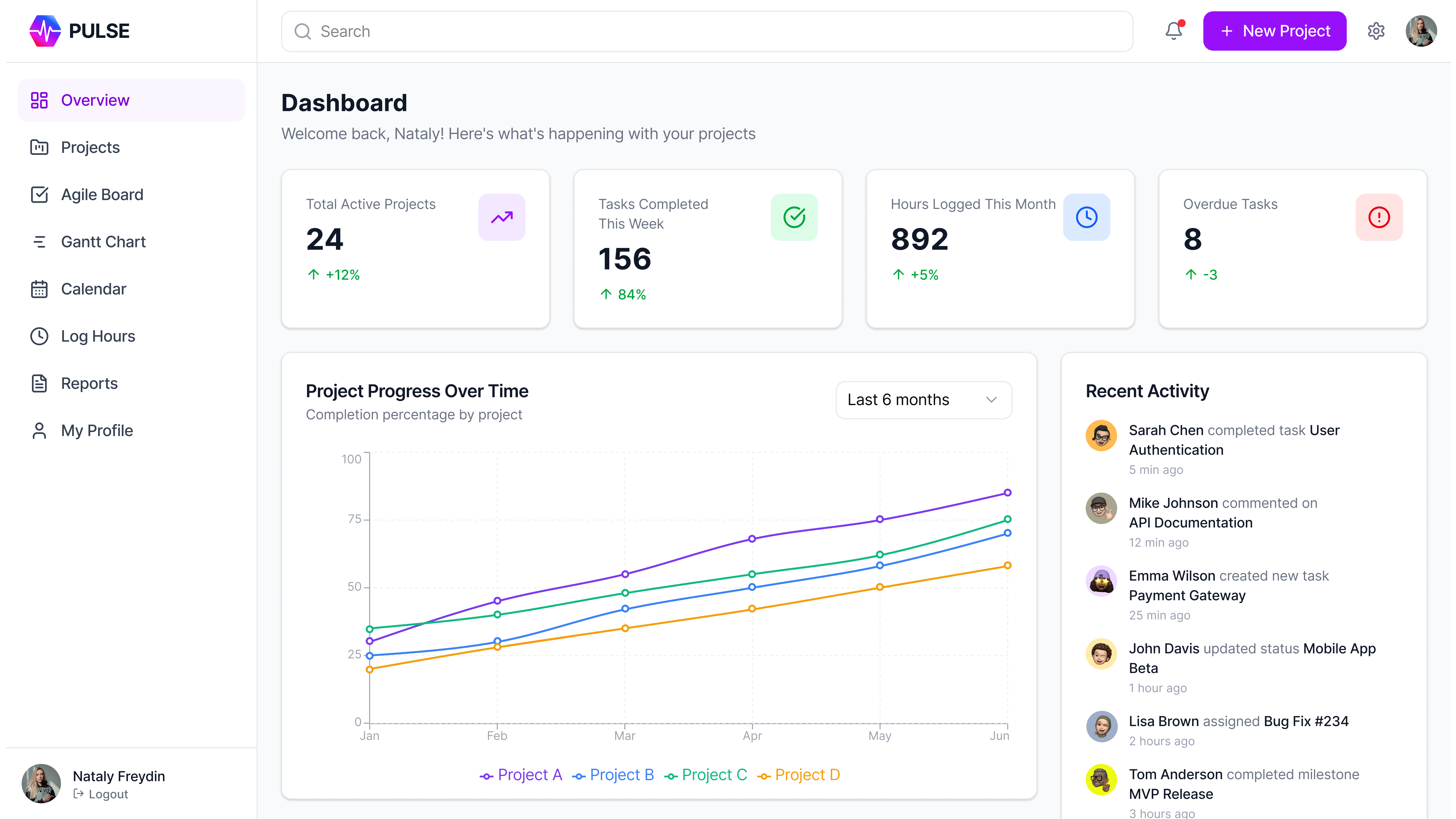
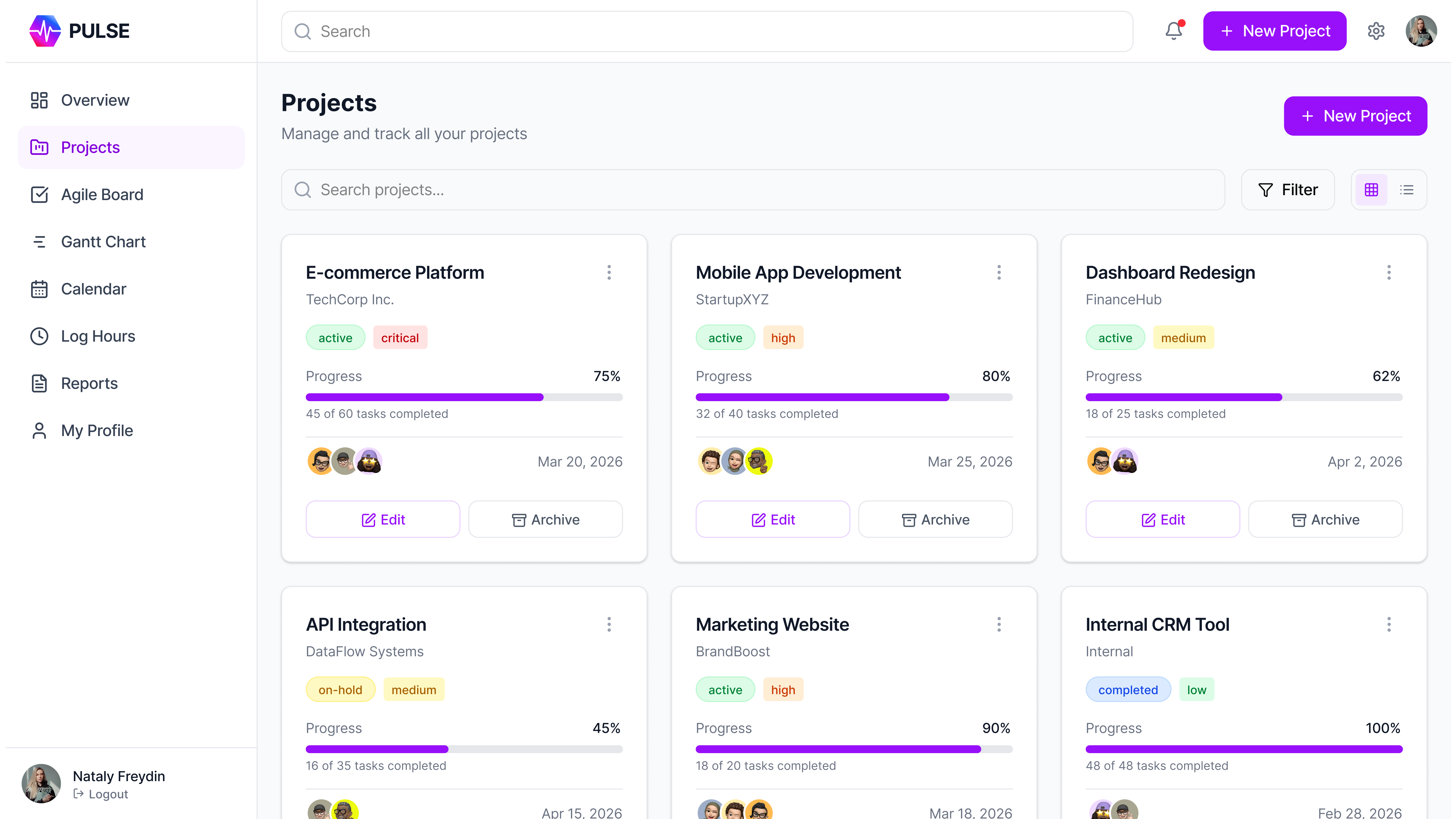
Pulse is an internal operations platform for an IT department of 30+ employees. Before it existed, the team ran on Excel spreadsheets, email threads, and verbal agreements — causing delays, poor visibility, and low accountability. It covers core workspaces: Overview dashboards, Projects, an Agile (Kanban) board, Gantt charts, a Calendar, time logging, Reports, personal dashboards, and a company Goals page. Originally an internal tool, it matured toward a potential standalone SaaS product.
Problem & Goals
The IT department had no centralized system for tasks, projects, or workload — everything ran through Excel, email chains, and verbal agreements. The core issue wasn't missing functionality: one interface tried to serve executives, managers, and contributors, who make completely different decisions. Deadlines slipped from unclear ownership, managers had no real-time visibility, and time tracking was inconsistent or absent.
Business goals
Eliminate delays from unclear ownership and resource conflicts; establish Agile workflows with measurable velocity; give management data-driven reports on performance, workload, and project health; increase retention and engagement through transparent goals and visible growth; build a scalable internal tool that grows with the department.
User goals
Research showed the real difference between users wasn't permissions — it was the type of decisions they make. Executives evaluate performance and project health (they need dashboards and metrics). Managers, tech leads, and team leads coordinate delivery (backlogs, Agile boards, Gantt, meetings, reports). Contributors execute the work (receive tasks, move Kanban cards, estimate, log hours, access docs). All used one product, but their daily workflows looked completely different.
My contribution
Full design of product logic, UX architecture, and interfaces; a design system and component library from scratch; user research (interviews per role, workflow observation, friction analysis); role-based workspaces for executives, managers, and contributors; a role-based access model; interactive prototypes aligned with directors; Agile setup as Scrum Master; adoption support (docs, guides, checklists); handover with quality control.
Process
Research & analysis (interviews, observation, Excel-workflow study, goals & constraints) → UX design (flows, wireframes, scenarios per role) → Prototyping (tested with real users per role, iterated with directors) → UI design (tasks, projects, Kanban, goals, dashboards, reporting) → Implementation (dev collaboration, launch) → QA → Support (handover, feedback-based improvements).
Key design decisions
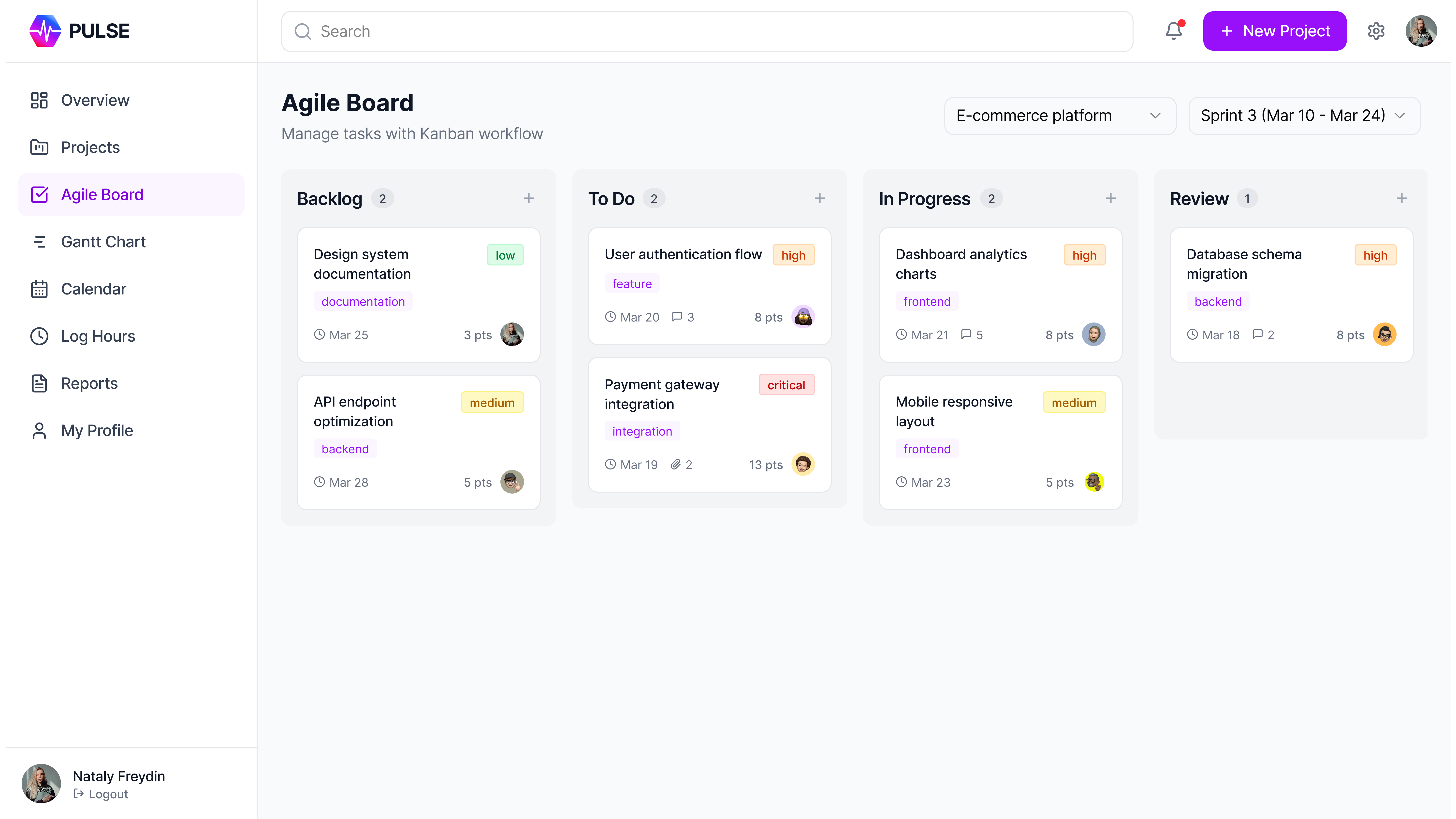
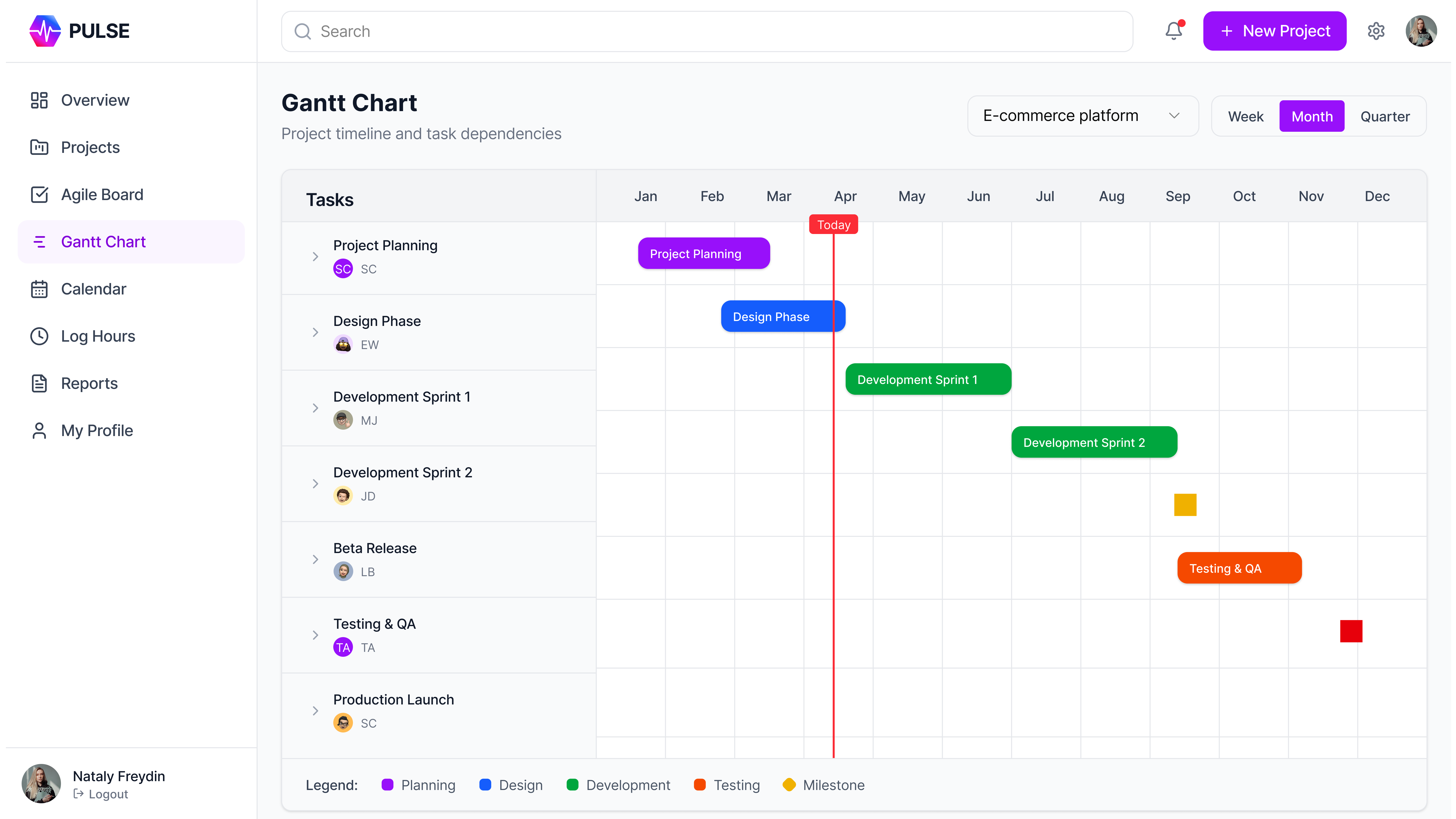
Role-based dashboards so each role sees only what is relevant, cutting noise and cognitive load; Kanban as the primary task view, with table and Gantt as alternatives; inline time logging from task cards (one click) instead of a separate module; a dedicated Goals page linking tasks to team and company objectives; a notification system surfacing only actionable items to avoid alert fatigue.
Design trade-offs
One shared Kanban improves transparency but can overwhelm contributors — solved with personal filtered views by default; Gantt adds planning power but complexity — kept in the manager view only; mandatory time logging ensures accuracy but adds friction — minimized with one-click inline logging; role-based access simplifies each view but needs multiple dashboard variants — managed via a shared component library; a Goals page boosts engagement but needs upkeep — designed with simple editing tools.
Results
Daily time logging dropped ~80% (from ~15–20 min in Excel to ~2–5 min inline), saving 5+ hours per week collectively; status meetings dropped as real-time Kanban and dashboards replaced weekly updates; the task lifecycle went from 6 fragmented steps to 4 in one system; user errors fell as role-based workspaces limited each user to relevant tools; adopted by 30+ employees across all roles; actively used for 3+ years as the primary team-management tool; a scalable design system built from scratch; improved planning quality via Gantt scheduling and resource visibility.
Personal reflection
This project taught me to design for multiple roles within one product — not by toggling permissions, but by understanding the different decisions each role makes. Leading it as both designer and Scrum Master showed me how deeply process design and interface design are connected, and proved that internal tools deserve the same design rigor as external products.
זרימת משתמש
לפני
אחרי
The task lifecycle was reduced from 6 scattered steps across multiple tools to 4 steps in one system — with real-time visibility replacing weekly reports and manual aggregation.